LiveGood Subscribe and Save: Setup and Savings
How LiveGood Subscribe and Save Works
LiveGood Subscribe and Save lets eligible customers and members choose products for automatic monthly ordering. It can be useful when you regularly use the same supplements and do not want to place the same order manually every month.
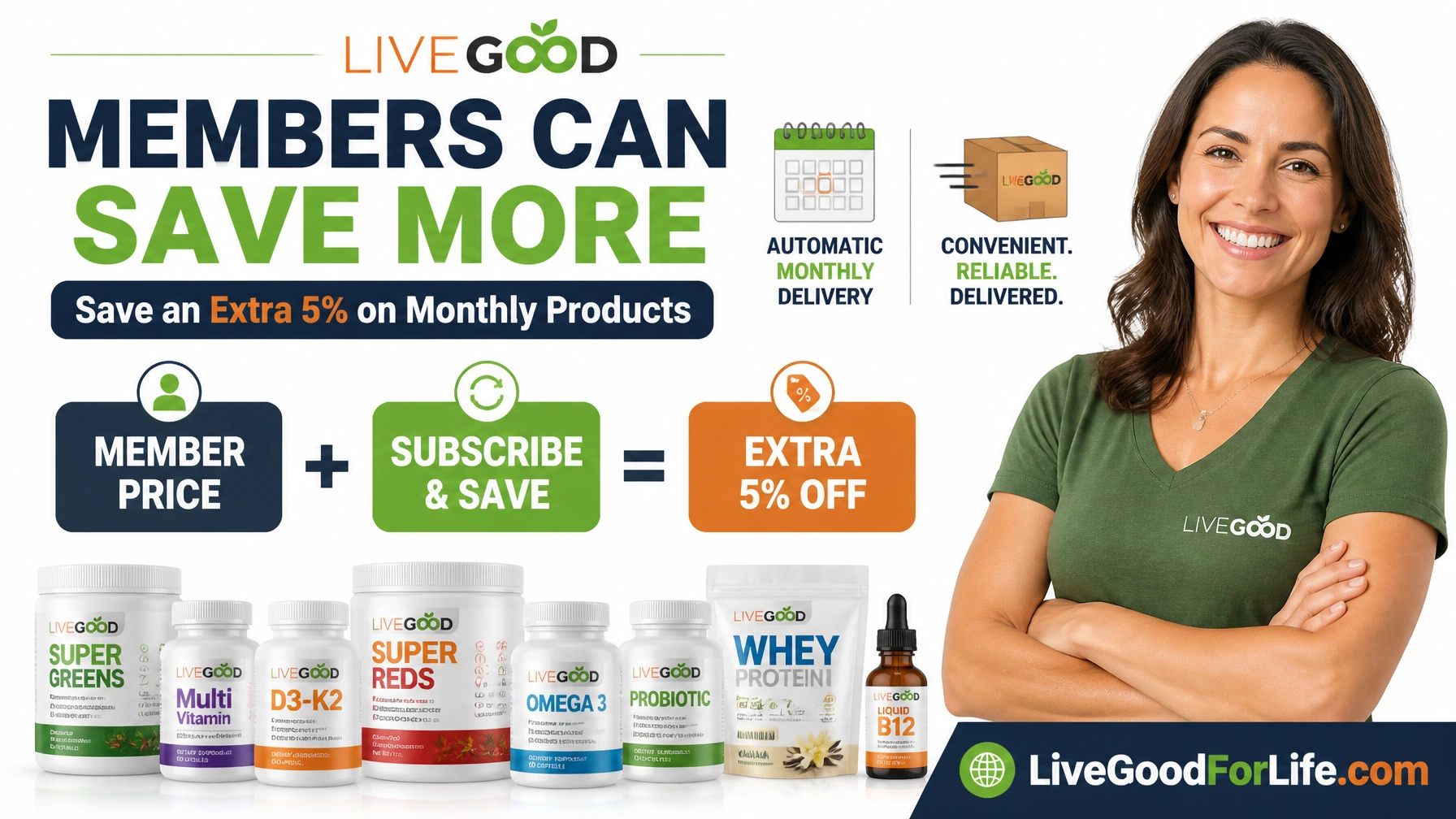
LiveGood members already receive lower member prices on eligible products. The Subscribe and Save screen shown in this guide currently displays an additional 5% discount on selected products, giving regular buyers another way to reduce product costs.
The service is optional. You can still place one-time orders, and the account page states that you can change or cancel Subscribe and Save at any time. This guide shows the complete setup process, explains the charges visible at checkout, and helps you decide whether automatic monthly ordering fits your routine.
Affiliate disclosure: This article contains affiliate links. If you join or purchase through my link, I may earn a commission at no additional cost to you.
Quick Answer: What Is LiveGood Subscribe and Save?
Subscribe and Save is LiveGood’s automatic monthly product-ordering option. You select eligible products and quantities, confirm your shipping and payment details, and allow a matching order to be placed automatically on the scheduled monthly date.
According to the current setup page shown in July 2026:
- Your first selected order is placed when you complete the setup.
- An identical order is scheduled to be placed and charged on the current date of each month.
- Eligible products currently show a 5% Subscribe and Save reduction.
- You may change or cancel the automatic order.
- You may still place separate one-time orders.
These settings may change. Always read the wording shown in your own account before confirming an automatic order.
Subscribe and Save vs LiveGood Membership
Membership and Subscribe and Save are related but different. Membership provides access to member prices. Subscribe and Save creates a recurring monthly product order and may provide an additional discount on eligible products.
| Feature | LiveGood Membership | Subscribe and Save |
|---|---|---|
| Main purpose | Access lower member product prices | Automatically reorder selected products |
| Current saving | Difference between retail and member prices | Current setup screen shows 5% off eligible member prices |
| Billing | Monthly or yearly membership fee | Selected product order, shipping, and applicable tax each cycle |
| Product ordering | Place orders when needed | Matching order placed automatically on the scheduled date |
| Optional? | You can shop at retail without membership | Yes; one-time ordering remains available |
Learn more about LiveGood membership costs and potential savings, or compare your own basket with the LiveGood supplement savings calculator.
How Much More Can Members Save?
The screenshots show Subscribe and Save prices 5% below the regular member prices for selected products. For example, a product with a $12.95 member price appears at $12.30 after the current automatic-order discount.
The basic calculation is:
Member price x 5% = current Subscribe and Save product reduction.
| Example Member Price | 5% Reduction | Example Subscribe and Save Price |
|---|---|---|
| $9.95 | Approximately $0.50 | Approximately $9.45 |
| $19.95 | Approximately $1.00 | Approximately $18.95 |
| $39.95 | Approximately $2.00 | Approximately $37.95 |
Displayed prices may be rounded. The discount applies to eligible product prices, not necessarily to shipping, tax, membership fees, or other charges.
Step 1: Log In and Open Subscribe and Save
Sign in to your LiveGood account. From the account area, find the Subscribe and Save or automatic shipment option.
The page explains that selected products can be automatically ordered and shipped each month. It also states that Subscribe and Save can be canceled and that customers may continue placing one-time orders.
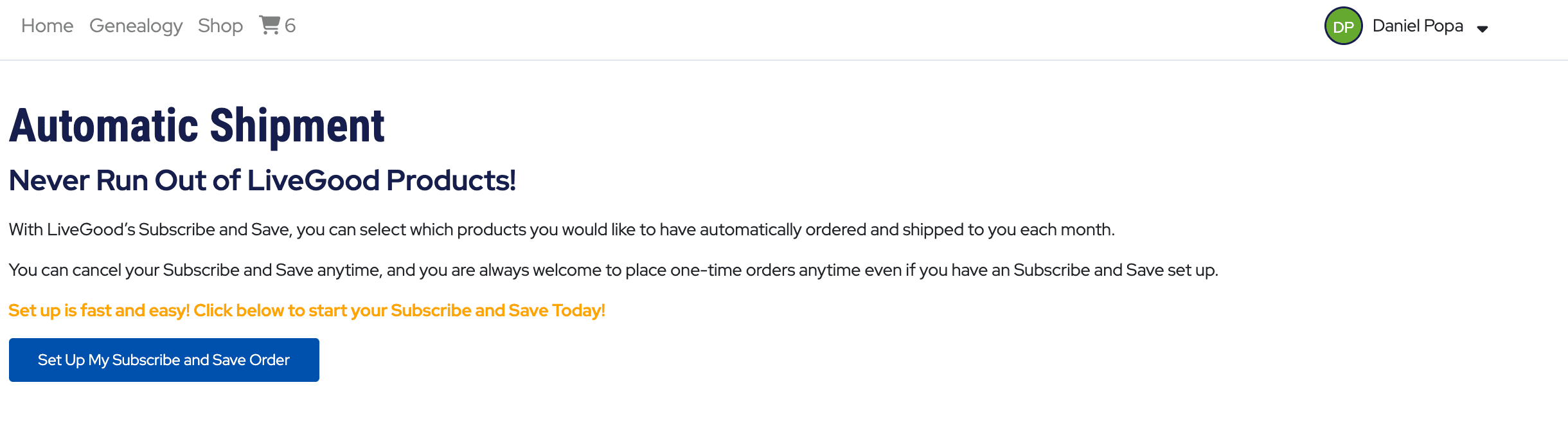
- Sign in to your LiveGood account.
- Open the Subscribe and Save section.
- Read the current ordering and cancellation information.
- Select Set Up My Subscribe and Save Order.
Visit LiveGood and Review Membership Options
Step 2: Choose Products and Quantities
The product-selection page displays available products, the regular member price, and the Subscribe and Save price. Use the quantity selector beside each item to choose what you want included in the monthly order.
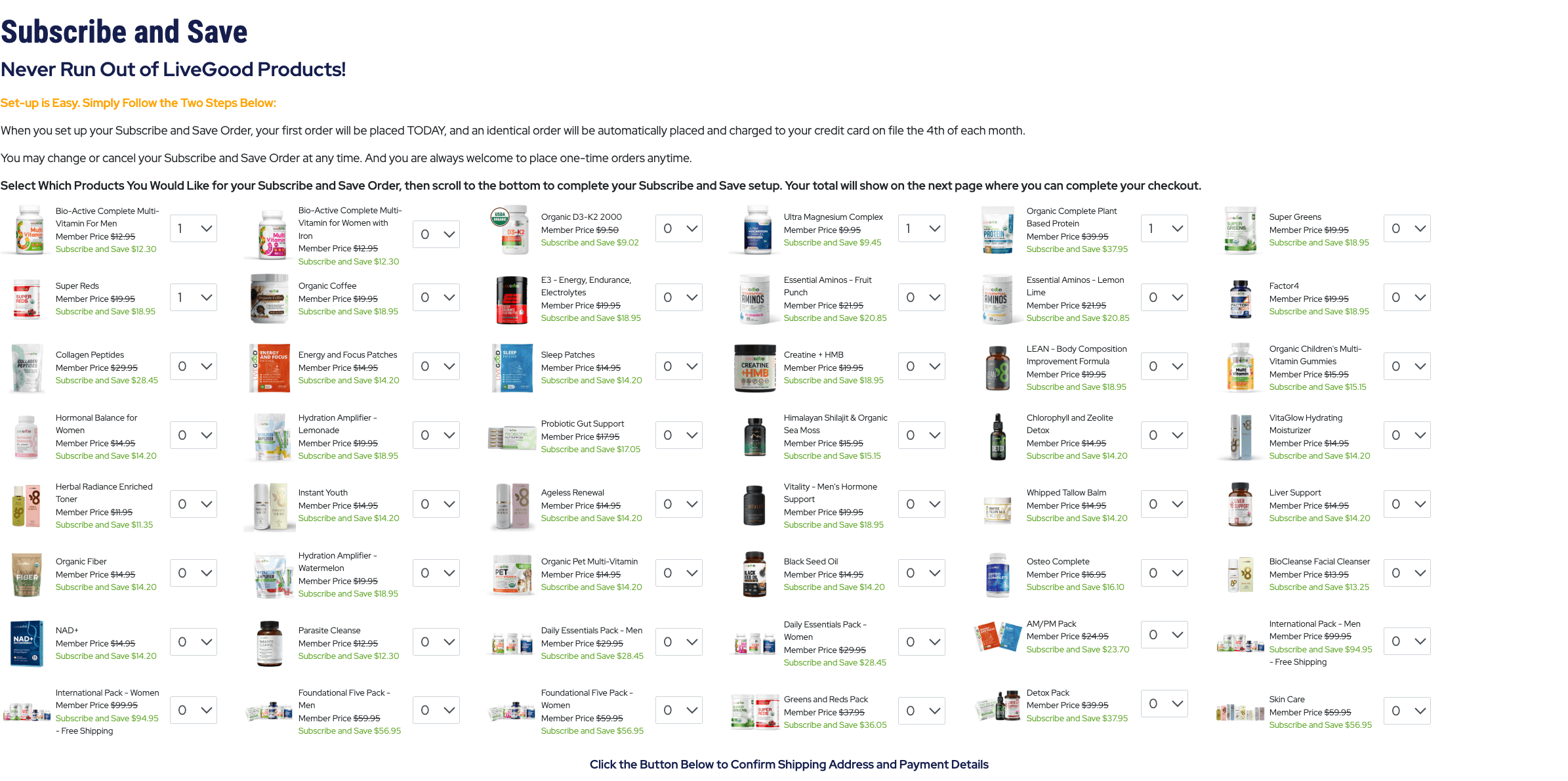
The current page states that the first order will be placed immediately, and an identical order will be automatically placed and charged to the card on file on the current date of each month.
Before continuing:
- Set unwanted products to zero.
- Check the quantity of every selected item.
- Compare the member and Subscribe and Save prices.
- Confirm that a monthly supply matches how quickly you use each product.
- Check whether any product is restricted or unavailable in your country.
- Remember that the same selection is intended to repeat next month unless changed or cancelled.
Browse the LiveGood products guide if you want to compare categories before choosing a recurring order.
Step 3: Review Payment, Shipping, and Tax
The final page lets you review the payment method, selected products, quantities, discounted prices, shipping and handling, sales tax, and the complete total.
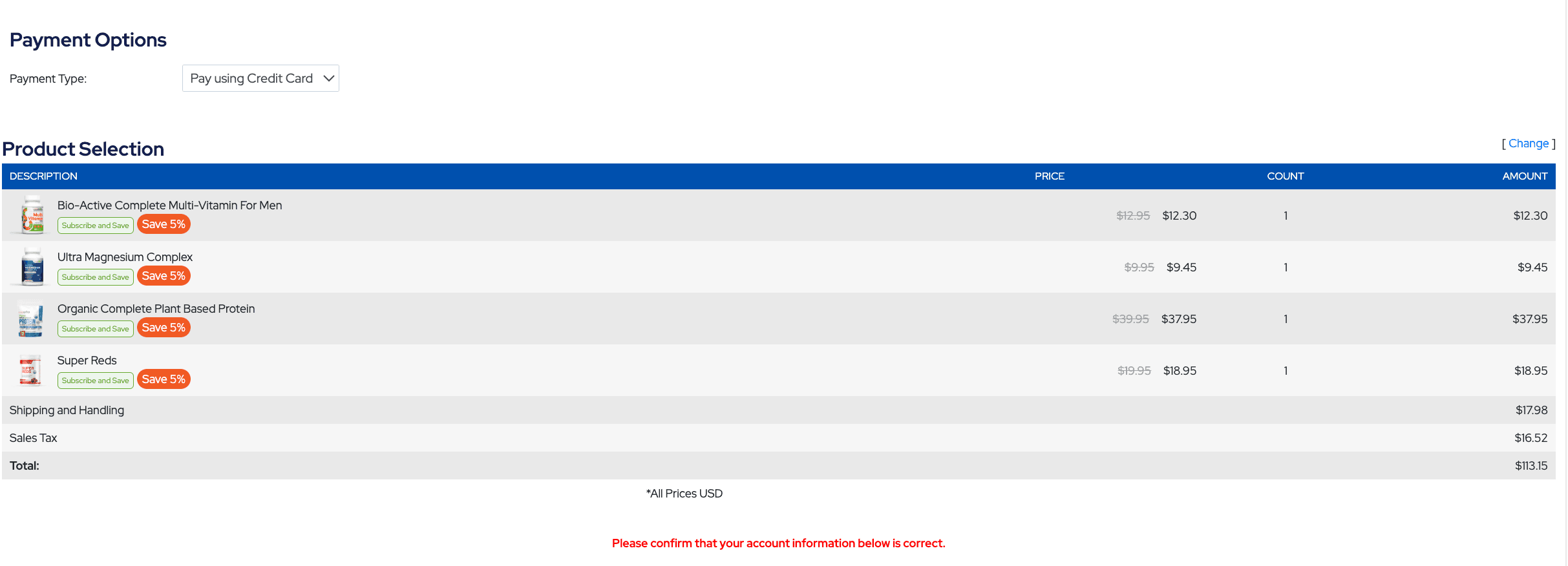
In the example screenshot:
- Four products are selected.
- Each selected product displays “Save 5%.”
- Shipping and handling is $17.98.
- Sales tax is $16.52.
- The displayed total is $113.15 USD.
These shipping and tax amounts are specific to the UK delivery location used for this example. They are not universal LiveGood charges.
How Shipping and Sales Tax Can Differ
Your order total may change based on your delivery address, product selection, package weight, shipping method, currency, and applicable tax rules.
| Charge | What Can Affect It |
|---|---|
| Product total | Products, quantities, eligibility, and current prices |
| Shipping | Country, address, order size, weight, warehouse, and shipping method |
| Sales tax or VAT | Destination and applicable national, state, or local rules |
| Customs or import charges | Destination-country rules and order value |
| Currency conversion | Your card provider, exchange rate, and possible foreign-transaction fees |
US orders should not automatically be described as tax-free. Depending on the delivery state and local rules, sales tax may be zero or may be charged. The checkout total shown for your address is the figure to review before confirming.
LiveGood Shipping, Tracking, Returns, and Cancellations
When Will My LiveGood Order Arrive?
LiveGood’s standard estimated delivery times are:
- United States: approximately 5–7 business days or sooner
- International orders: approximately 2–3 weeks
These are estimates rather than guaranteed delivery dates. Customs processing, public holidays, weather, carrier delays and the destination country can affect delivery times.
You can check your order status and tracking information by signing in to your LiveGood account and opening Order History.
Which Countries Does LiveGood Ship To?
LiveGood states that it ships products worldwide. Product availability and shipping options may differ by country, and some products may be restricted in certain locations.
How Much Does LiveGood Shipping Cost?
Shipping costs depend on your location and the size and weight of your order. Add the products you are considering to your cart and continue to checkout to see the shipping charge.
You can review the shipping cost before paying. If the total is higher than expected, return to the shopping cart and remove or change products before completing the order.
Can a LiveGood Order Be Cancelled?
LiveGood begins processing and fulfilling an order as soon as it is submitted. For this reason, an order cannot normally be cancelled after it has been placed.
If you no longer want an order, you can return it after delivery and request a refund under the current return policy. This is why you should carefully review products, quantities, shipping, tax and the final total before confirming a one-time or Subscribe and Save order.
How Do I Return a LiveGood Order?
LiveGood currently provides a 90-day empty-bottle guarantee on its products. If you are not satisfied, send the unused portion or empty bottle to:LiveGood Returns
1201 Jupiter Park Drive, Unit 5
Jupiter, FL 33458
United States
Include the name used for the order or your order ID number inside the return package. LiveGood states that the refund is processed after the returned product is received at its warehouse, followed by an email confirmation.
Use a tracked return service and keep your postage receipt. International return shipping costs can be significant, so review the complete LiveGood refund and return policy before sending a product back.
When Subscribe and Save Can Be Useful
Automatic ordering may fit you when:
- You use the same eligible products every month.
- You normally finish each product before the next order arrives.
- You want the additional discount currently displayed.
- You are comfortable reviewing your account before the next order date.
- Your budget can accommodate the complete recurring total.
It may be less suitable when your usage changes, you are trying a product for the first time, you already have excess stock, or you are uncertain whether you will want the same basket next month.
Change or Cancel When You Do Not Need the Next Order
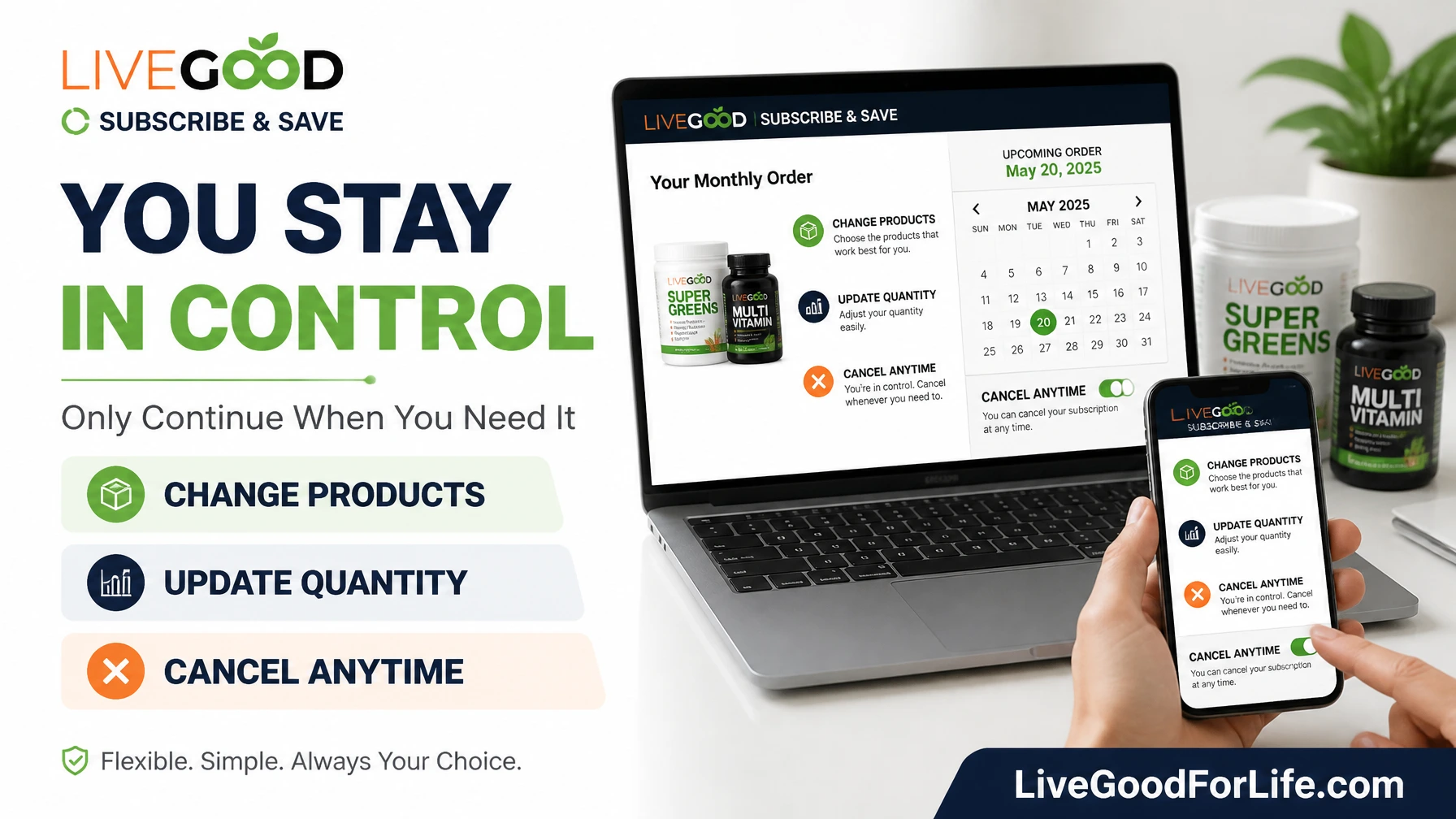
The account page states that you may change or cancel your Subscribe and Save order. This is important because supplement use is not always identical every month.
Consider changing or canceling when:
- You still have enough product for another month.
- You stopped using one of the selected products.
- Your healthcare professional advised you to change your routine.
- Your budget or delivery address changed.
- You are unsure whether you want the next automatic order.
- You want to choose different products or quantities.
Do not wait until the order has already been processed. Review your account before the scheduled date and allow enough time for any change or cancellation to take effect.
How to Manage or Cancel Subscribe and Save
- Sign in to your LiveGood account.
- Open the Subscribe and Save or automatic shipment area.
- Review the selected products, quantities, payment method, address, and next order date.
- Change quantities or remove products you no longer need.
- Select the available cancellation option to stop the recurring order.
- Follow all confirmation steps.
- Check for an on-screen confirmation or email and keep it for your records.
The exact labels and screen layout may change. If an option is unavailable or an order has already been processed, contact LiveGood support through your account.
Does Canceling Subscribe and Save Cancel Membership?
No. An automatic product order and a LiveGood product membership are separate settings. Canceling Subscribe and Save should stop the selected recurring product order, but it does not necessarily cancel monthly or yearly membership billing.
If you also want to stop membership renewal, review the membership section in your account separately. Our LiveGood membership guide explains how membership differs from product ordering.
Subscribe and Save vs One-Time Orders
| Comparison | Subscribe and Save | One-Time Order |
|---|---|---|
| Order timing | Automatic monthly schedule | You decide when to order |
| Current extra discount | 5% shown on eligible selected products | Regular applicable retail or member price |
| Convenience | Products reorder without repeating checkout | Requires a new order each time |
| Control required | Review before each scheduled order | No order occurs until you place one |
| Best fit | Consistent monthly users | First-time or occasional buyers |
If you prefer complete control over when each order is placed, read how to buy LiveGood without membership. You can also compare LiveGood customer, member, and affiliate accounts.
Checklist Before Confirming an Automatic Order
- I use every selected product regularly.
- The quantities match approximately one month’s use.
- I understand that the first order is placed during setup.
- I have checked the date of the next automatic order.
- My payment card and delivery address are correct.
- I reviewed shipping, tax, and the complete total.
- I know how to change or cancel the recurring order.
- I understand that membership billing is managed separately.
Frequently Asked Questions
How much does LiveGood’s Subscribe and Save discount on products?
The July 2026 account screenshots show 5% off eligible selected member-price products. Confirm the discount displayed in your own account because products and offers may change.
When is the first Subscribe and Save order placed?
The current setup page states that the first order is placed upon completion of setup. Review the final checkout total before confirming.
When are recurring LiveGood orders charged?
The current screenshot states that an identical order will be placed and charged to the card on file on the current date of each month. Verify the scheduled date shown in your own account.
Can I still place one-time orders?
Yes. The account page states that one-time orders remain available even when Subscribe and Save is set up.
Can I change products or quantities?
The page states that the Subscribe and Save order can be changed. Make adjustments before the next order is processed and confirm that your updated selection was saved.
Can I cancel LiveGood Subscribe and Save?
Yes. The current account page states that it can be canceled. Complete the cancellation before the next processing date and retain the confirmation.
Are shipping and sales tax always the same?
No. The screenshot amounts relate to a UK delivery location. Shipping and tax can differ by address, products, order size, and applicable laws.
Does canceling the automatic order cancel membership?
No. Subscribe and Save manages recurring products, while membership manages access to member prices. Review and manage each setting separately.
Is Subscribe and Save Right for Your Routine?
LiveGood Subscribe and Save can provide convenience and an additional discount for members who consistently use the same products. The key is to treat it as an order you actively manage, not one you set and forget indefinitely.
Check your supply before every scheduled order. Change the products when your routine changes, and cancel the automatic order when you do not need another shipment or remain unsure about the following month.
Explore LiveGood Products and Membership
Medical disclaimer: This article is for educational purposes only and is not medical advice. Dietary supplements are not intended to diagnose, treat, cure, or prevent disease. Read current product labels and consult a qualified healthcare professional before using supplements, especially if you take medication, have a medical condition, are pregnant or nursing, or are purchasing for a child.
Information notice: The screenshots document an account setup viewed in July 2026. Discounts, products, prices, order dates, shipping, tax, policies, and account controls may change or vary by country. Verify all details in your own LiveGood account before confirming an automatic order.